2026-08-06
Daily AI Digest: Muse Code, ASUS display agents and life-science teams
This is the GolemWorkers Daily AI Digest for August 6. Today: agents that coordinate code changes, control displays, accelerate drug research, operate campaigns, optimize cloud resources and enforce AI rules—plus a supervised display concierge you can use.


Meta’s Muse Code coordinates parallel agents across large repositories
Muse Code is a beta terminal agent for programmers that plans changes, writes code and validates results across large software repositories. For larger jobs it can fan work out to helper agents in isolated worktrees, keeping the user’s working copy separate while the engineer reviews the result.
Source: TechCrunch
ASUS lets compatible AI agents control monitor settings
ASUS DisplayWidget Center now includes a local command-line tool and Agent Skill that let compatible agents adjust brightness, color mode, color temperature and OLED Anti-Flicker from one natural-language request. Users can also create calendar-driven display profiles; support varies by monitor and the agent must handle Markdown skills and shell commands.
Source: ASUS
Clarivate puts multi-agent safety work into drug development
Clarivate expanded agentic AI across Cortellis so life-science teams can evaluate therapeutic landscapes, compare compounds and targets, surface potential safety liabilities and monitor competitive shifts. The new workflows combine curated data with human review, including multi-agent evidence synthesis in OFF-X and portfolio analysis that Clarivate says can compress weeks of manual work into hours.
Source: Clarivate
PulsePoint’s Hatch operates healthcare marketing from one conversation
Hatch lets healthcare marketers, planners and media traders research audiences, check pacing and budgets, monitor performance and act on live campaign data in one continuous conversation, with links back to the underlying evidence. PulsePoint is using it internally and says selected alpha users are the next phase, so broad customer availability has not been announced.
Source: PulsePoint
Sedai’s Sed can answer cloud-cost questions and change resources
Sed is an early-access cloud operations assistant that can explain spending and savings, surface optimization opportunities, adjust resource settings and create or manage resource groups from the conversation. Sedai’s new MCP integration exposes the same actions to customer agents such as Claude Code, Copilot and internal tools; general availability is still to come.
Source: Sedai
Claude Enterprise can pause AI requests for an outside security verdict
Anthropic’s beta inference hooks let Claude Enterprise organizations hold governed requests from Claude.ai, Cowork and Claude Code until an external AI security server allows or denies them. Requests are signed, failure behavior is configurable and every denial is recorded in the compliance Activity Feed, giving security teams an independent checkpoint before agent work proceeds.
Source: AnthropicAgent idea of the day
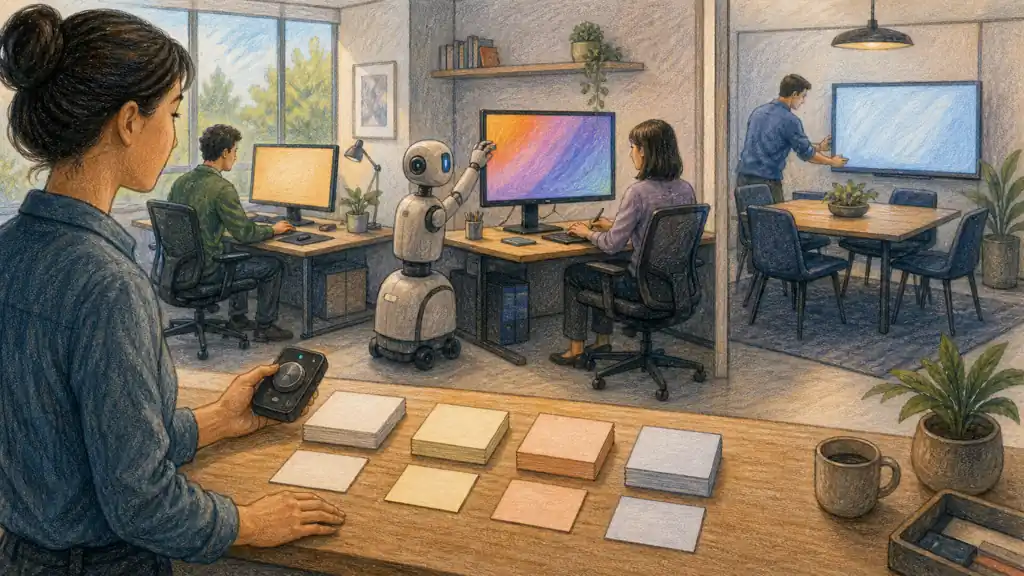
Build a calendar-aware display concierge
What this agent does
Prepare each compatible display for the work ahead, apply only pre-approved comfort and color profiles, and keep a person one control away from overriding every change.
Best for: Home offices, studios and small teams that switch between focused work, design reviews, gaming, calls and meeting-room presentations on compatible ASUS or ROG displays.
Give it
- A list of compatible displays and the approved local control tool
- Read-only access to working hours and calendar event types
- Owner-approved limits for brightness, color temperature, color mode, refresh rate and anti-flicker settings
- A physical or software override that remains available to the user
Tell it to
- Inventory every compatible display and record a safe approved range for each adjustable setting.
- Map recurring work contexts such as focus time, design review, video calls and evening use to named profiles without reading private event details.
- Test each profile on one display, show the exact before-and-after settings and wait for the owner to approve it.
- Apply only approved profiles at the scheduled trigger, confirm the resulting settings and report any device that did not respond.
- Pause on unfamiliar hardware, conflicting rules or accessibility requests, ask a human and preserve the override at all times.
Run it: Check at the start of the workday, 10 minutes before a matching calendar event, at sunset and whenever the user explicitly asks for a profile change.
You get
A short change log showing each display, the profile applied, the settings before and after, any exceptions and the one-step override available to the user.
Keep a human in control
- Run monitor commands locally and grant the agent access only to the supported display controls it needs.
- Use calendar categories or event types rather than titles, attendees, notes or private content.
- Never install firmware, change operating-system security settings or control an unfamiliar device without explicit approval.
- Do not present the profiles as medical treatment; accessibility and eye-comfort needs always override automation.
- Keep manual controls and a tested rollback profile available at all times.
Feasibility: ASUS documents natural-language control of brightness, color mode, color temperature and OLED Anti-Flicker, multi-monitor changes, and a calendar-driven morning/evening profile example through its local Display Control CLI and Agent Skill. The recipe adds an explicit test phase, scoped calendar access, approved ranges, change logging and a human override. Source: ASUS →